TripAdvisor is one of the world's largest travel platforms, with over 463 million travelers visiting monthly and browsing more than 859 million reviews. A single negative review can significantly impact your hotel or restaurant's reputation, affecting bookings and revenue. Understanding how to delete a TripAdvisor review or manage negative feedback is crucial for any hospitality business owner.
Whether you're asking "can I delete a review on TripAdvisor?" or looking for professional help to delete review TripAdvisor postings that damage your business, this comprehensive guide covers everything you need to know about TripAdvisor's review removal process and introduces our professional reputation management service.
Can You Delete a TripAdvisor Review?
The answer depends on who you are. If you're a traveler who wrote the review, yes—you can delete your own TripAdvisor review. However, if you're a business owner dealing with negative reviews, the situation is more complex.
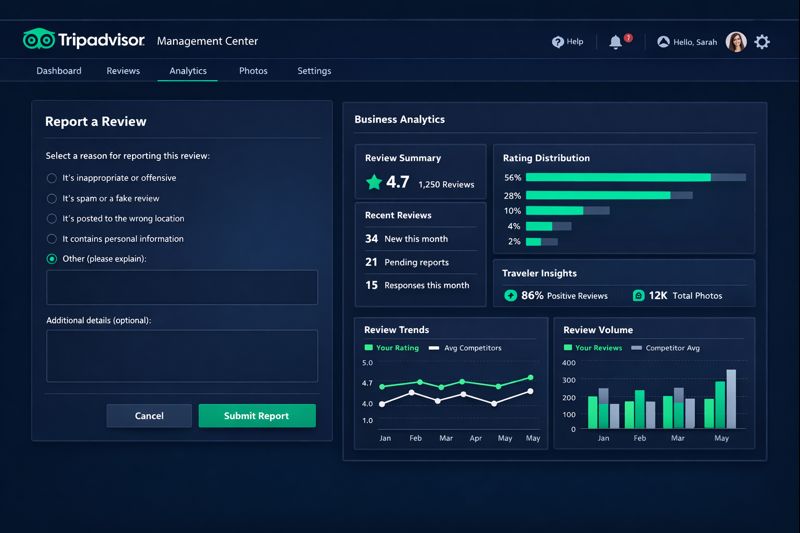
Business owners cannot directly delete TripAdvisor reviews. Instead, you must report reviews through the Management Center and provide evidence that the review violates TripAdvisor's guidelines. This process can take days to weeks, and success is not guaranteed.
How to Delete a Review on TripAdvisor (For Travelers)
If you wrote a review and want to delete TripAdvisor review that you posted, follow these simple steps:
Sign Into Your TripAdvisor Account
Access your user profile by logging in with your credentials at tripadvisor.com.
Navigate to Your Review
Find the specific review you want to delete from your profile's reviews section.
Click the Three Dots Menu
Locate the three dots in the top-right corner of your review and click on them.
Select "Delete" and Confirm
Click "Delete," confirm the action, and you'll receive an email confirming the review removal.
Important Note: TripAdvisor doesn't allow users to edit published reviews. If you need to update your feedback, you must delete the original review and submit a new one. TripAdvisor permits only one review per user for the same experience.
How Business Owners Can Request Review Removal
For business owners asking "how to delete a review on TripAdvisor" that a customer left, the process requires going through TripAdvisor's official reporting channels. Here's what you need to know:
Valid Reasons to Delete TripAdvisor Review
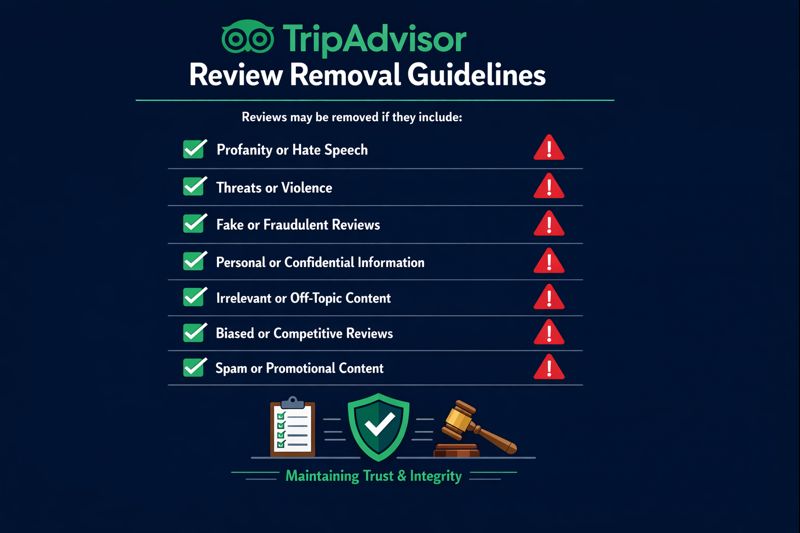
TripAdvisor only removes reviews that violate their review guidelines. Valid reasons include:
- Wrong Property: The review was posted on the wrong business listing
- Inappropriate Content: Language or content that is offensive or not family-friendly
- Biased Reviews: Written by ex-employees, competitors, or those with ulterior motives
- Outdated Reviews: Reviews describing experiences over one year ago
- Mismatched Rating: The star rating doesn't match the written content
- Never Visited: Proof that the reviewer never actually visited your property
- Duplicate Reviews: Multiple reviews for the same experience
- Private Information: Contains personal or sensitive details
Steps to Report a Review Through Management Center
Log Into Your TripAdvisor Management Center
Access your business account and select your property from the dashboard.
Navigate to Reviews Section
Click on "Reviews" in the top menu, then select "Report a Review."
Choose the Appropriate Reason
Select why you believe the review should be removed (fraud, wrong property, inappropriate content, etc.).
Provide Supporting Evidence
Include detailed information about why the review violates TripAdvisor's guidelines.
Submit and Wait for Response
TripAdvisor typically processes requests within several days, though complex cases may take longer.
TripAdvisor may not remove reviews simply because you disagree with the content. The review must clearly violate their guidelines. Many businesses struggle with the review removal process, which is why professional reputation management services can be valuable.
Types of Fake Reviews TripAdvisor Removes
TripAdvisor categorizes fraudulent reviews into three main types that they actively remove:
- Review Boosting: Biased positive reviews from employees, owners, or relatives, or reviews given in exchange for incentives
- Review Vandalism: Harmful negative reviews intended to damage a competitor's reputation or blackmail attempts
- Review Optimization: Paid reviews intended to artificially inflate a business's rating
Bulk Review Removal: Major Renovation or Ownership Change
TripAdvisor allows businesses to remove all past reviews under specific circumstances. If your property has undergone a major renovation or change of ownership, you may qualify for bulk review removal.
Documentation Required for Bulk Removal
- Online press release documenting the renovation with publication letterhead
- Letter from city officials or Tourist Board verifying renovation scope
- Building permit from local government verifying the project
- Proof of ownership change documentation
Aesthetic changes like new carpet, paint, or signage do NOT qualify for bulk review removal. Only structural changes that significantly affect the guest experience are considered.
Why Professional Review Management Matters
Managing your online reputation on TripAdvisor can be challenging and time-consuming. Consider these statistics:
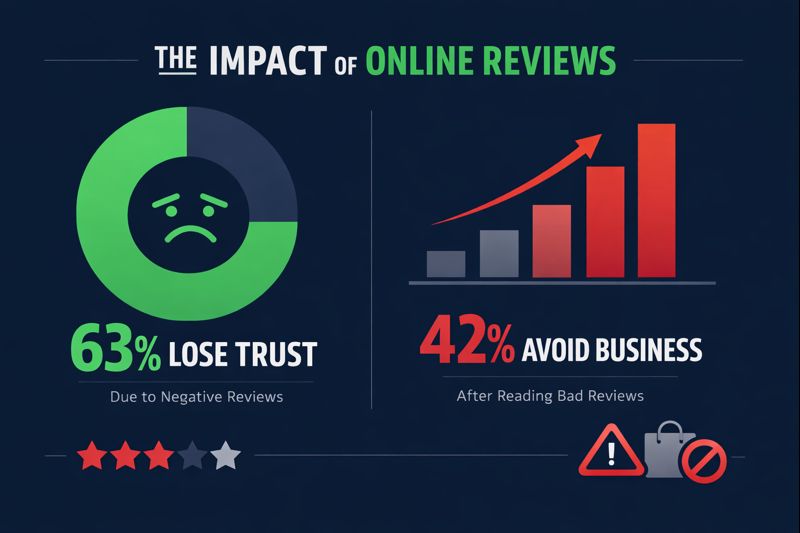
- 63% of consumers lose trust in a business after seeing predominantly negative reviews
- 42% of consumers would avoid a business for up to a year after reading a negative review
- 88% of consumers trust online reviews as much as personal recommendations
Our Professional TripAdvisor Review Management Service
At GetReviewFast, we specialize in helping businesses manage their TripAdvisor reputation effectively. Our services include:
- Review Removal Assistance: Expert help navigating TripAdvisor's review removal process
- Positive Review Generation: Build a stronger positive review profile to outweigh negative feedback
- Reputation Monitoring: 24/7 tracking of your TripAdvisor presence
- Strategic Response Crafting: Professional management responses to reviews
Need Help Managing TripAdvisor Reviews?
Our team of reputation management experts can help you navigate the review removal process and improve your online presence. Contact us today for a free consultation.
Get Professional Help NowResponding to Negative Reviews You Can't Delete
Not all negative reviews can be removed. When deletion isn't an option, a well-crafted management response can mitigate damage and even turn the situation around:
- Respond Promptly: Aim to reply within 48 hours of the review posting
- Stay Professional: Never argue or become defensive, regardless of the review's tone
- Acknowledge Issues: Show you take feedback seriously and care about guest experiences
- Offer Solutions: Invite the reviewer to contact you directly to resolve issues
- Highlight Improvements: Mention changes you've made based on the feedback